Scan API
Initiate scans, poll status, and fetch findings
The Zero Cool Scan API lets a workspace API key initiate scans, read scan results, and continue failed scans from external tools and coding agents.
Overview
Workspace API Key
Create a workspace-scoped key in Workspace Administration. The key can only see scans for its workspace.
Initiate Scans
Start a scan by sending the repository URL and target commit. Include a base commit when you want a diff review.
Read Scan Results
List scans, fetch one scan by ID, and read findings once Zero Cool completes the scan.
Continue Failed Scans
Queue a continuation when a failed scan has saved runtime state.
Create an API key
Create keys from the Zero Cool web app. The secret appears once, so store it before leaving the page.
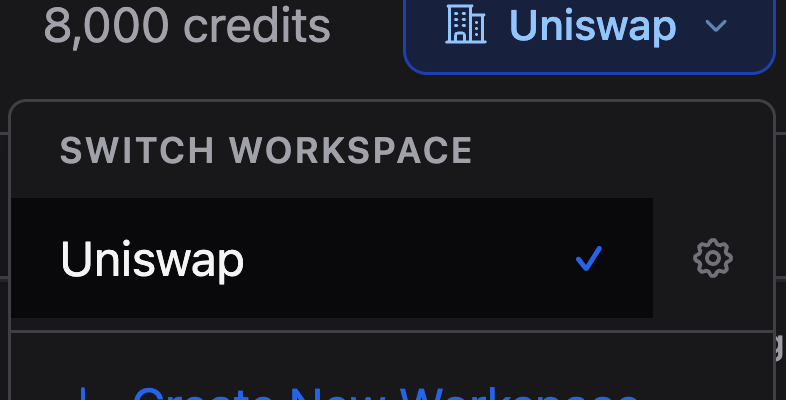
- Open the workspace switcher or settings area.
- Choose Workspace Administration.
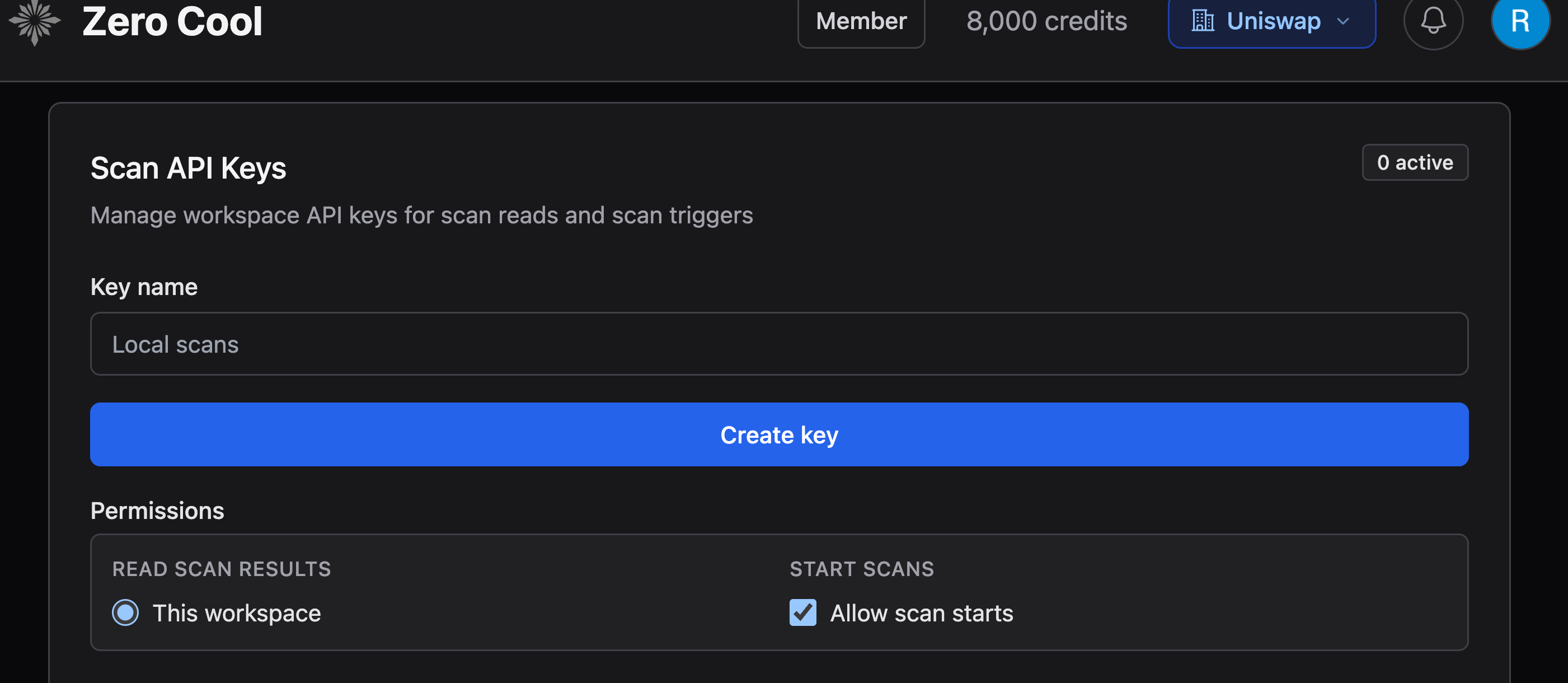
- Open Scan API Keys.
- Create a key with a descriptive name, such as uniswap-agent-demo.
- Set read access to This workspace.
- Leave Allow scan starts enabled when the key should start scans. Turn it off for a read-only key that can fetch results but cannot initiate scans.
- Click Create key, then copy the secret before leaving the page. The app shows the secret once.
Key handling
Treat the API key like a password. Do not paste it into source files, issue comments, logs, or public chat.
Quickstart
A diff review compares a head commit against a base commit. Diff-review-only workspaces reject requests that omit base_commit.
export ZC_API_KEY="zc_..."
export ZC_API_BASE="https://api.zerocool.ai/api/v1"curl -sS -X POST "$ZC_API_BASE/scans" \
-H "Authorization: Bearer $ZC_API_KEY" \
-H "Content-Type: application/json" \
-d '{
"repository_url": "https://github.com/Uniswap/v4-periphery",
"git_branch": "margin-trading",
"git_commit": "1db2c5dad1da882ad50533d8832adec3bfc7a929",
"base_commit": "363226d9e1e2180b67bf6857023dbaad751010c5",
"scan_name": "Zero Cool diff review"
}'{
"scan_id": "b8c96174-6b66-426a-abf3-f93a086e7dff",
"status": "queued"
}curl -sS -H "Authorization: Bearer $ZC_API_KEY" \
"$ZC_API_BASE/scans/<scan_id>"Agent workflow
Give the agent the API key through its environment, then give it the repository URL, head commit, and base commit.
Prompt
Use the Zero Cool Scan API. Start a Zero Cool diff review for this repository and commit range, poll until it completes, then include Zero Cool findings in the combined security review. Deduplicate Zero Cool findings against other tools by affected code area and exploit path.
- Require ZC_API_KEY and ZC_API_BASE.
- Send repository_url, git_commit, and base_commit for a diff review.
- Do not send scanner config, templates, lead generators, tags, workspace IDs, or credentials.
- Poll the returned scan_id until status is completed or failed.
- If a scan fails with error.retryable = true, offer continuation and handle a 400 rejection.
- Report the Zero Cool scan_id with the final summary.
Endpoints
/api/v1/scansStarts a scan for the API key workspace and returns a scan ID immediately. Include base_commit to start a diff review.
| Field | Required | Description |
|---|---|---|
repository_url | yes | GitHub HTTPS repository URL, such as https://github.com/Uniswap/v4-periphery. |
git_commit | yes | 40-character head commit SHA to scan. |
base_commit | workspace-dependent | 40-character base commit SHA. Include it to start a diff review. Diff-review-only workspaces reject requests that omit it. |
git_branch | no | Optional branch label for display and context. The server treats git_commit as authoritative. |
scan_name | no | Optional display name. Defaults to the repository name when omitted. |
{
  "scan_id": "7723d43a-1196-4f5a-988b-19c3fbe3b81b",
  "status": "queued"
}/api/v1/scansLists scans visible to the API key workspace, newest first.
| Field | Required | Description |
|---|---|---|
page | no | 1-based page number. Defaults to 1. |
page_size | no | Results per page. Defaults to 100 and caps at 500. |
status | no | Optional scan status filter, such as completed, running, queued, or failed. |
branch | no | Optional exact git branch filter. |
{
  "results": [
    {
      "scan_id": "f5e0fa5a-e235-40da-b229-dcd27e818d80",
      "scan_name": "continuous-clearing-auction",
      "status": "completed",
      "project_name": "continuous-clearing-auction",
      "repository": "https://github.com/your-org/continuous-clearing-auction",
      "git_branch": "main",
      "git_commit": "9345d82801b7a54e15cccbeaba6ab015a34cae16",
      "created_at": "2026-05-08T18:12:49.823124Z",
      "completed_at": "2026-05-08T20:03:04.673946Z",
      "finding_counts": {
        "total": 4,
        "by_severity": { "Medium": 1, "Low": 3 }
      }
    }
  ],
  "count": 128,
  "page": 1,
  "page_size": 20,
  "total_pages": 7
}/api/v1/scans/{scan_id}Returns one scan plus its error object and findings. Queued scans can return an empty findings list and a null finding count.
- Statuses are queued, running, completed, or failed.
- Completed scans include findings when Zero Cool produced them.
- Failed scans include error.message and error.retryable.
| Field | Required | Description |
|---|---|---|
id | no | Finding identifier. |
title | no | Finding title. |
severity | no | Critical, High, Medium, Low, Informational, or null. |
impact | no | Impact rating when available. |
likelihood | no | Likelihood rating when available. |
summary | no | One-paragraph finding summary when available. |
content | no | Full finding write-up in Markdown when available. |
status | no | Review status, such as none, todo, acknowledged, unresolved, or resolved. |
created_at | no | Finding creation timestamp. |
{
  "scan_id": "f5e0fa5a-e235-40da-b229-dcd27e818d80",
  "status": "failed",
  "error": {
    "message": "The scanner command exited with status 1.",
    "retryable": true
  },
  "findings": []
}/api/v1/scans/{scan_id}/continueQueues a continuation of a failed same-workspace scan. The server uses the original repository, commit, config template, worker config, and saved scan state.
curl -sS -X POST "$ZC_API_BASE/scans/<scan_id>/continue" \
-H "Authorization: Bearer $ZC_API_KEY"{
"scan_id": "d7f8a26a-7be7-4e0f-906a-d2ceab1f5e62",
"status": "queued",
"continued_from_scan_id": "f5e0fa5a-e235-40da-b229-dcd27e818d80"
}Errors
Every error uses this envelope:
{ "error": "human-readable message" }| Status | Meaning |
|---|---|
400 | Invalid request, missing base_commit for a diff-review-only workspace, invalid commits, unsupported fields, or a continuation request the server cannot accept. |
401 | Missing, malformed, expired, revoked, or invalid API key. |
402 | Workspace cannot initiate a new scan. Contact Zero Cool if this persists. |
403 | API key lacks the required permission. |
404 | Scan is missing, deleted, or outside the API key workspace. |
429 | Rate limit exceeded. Respect the Retry-After header when present. |
Operational notes
- API keys are workspace-scoped. A key sees only scans for its workspace.
- Maximum 10 requests per minute per key.
- Accepted scans appear in the list immediately as queued scan details.